The Visual Timer for Kids That Helps Reduce Daily Battles
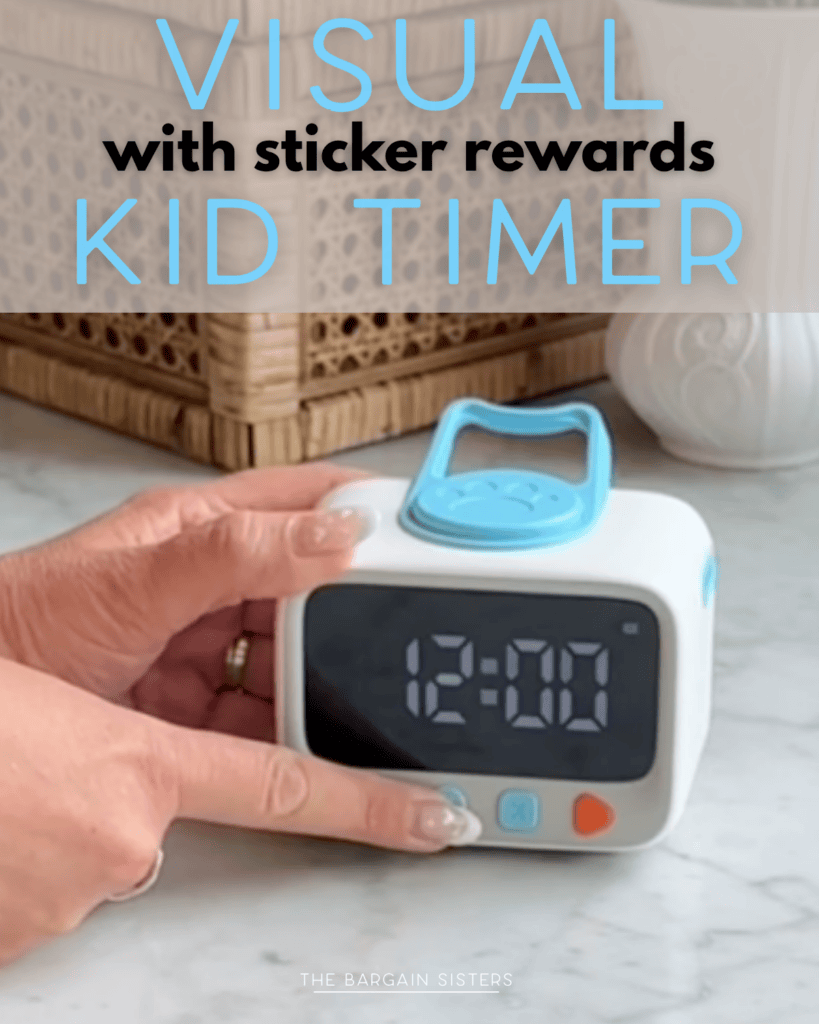
This visual timer for kids shows time shrinking so transitions go smoother. Here’s whether the countdown timer with reward stickers is worth it, from two moms.
TL;DR
Visual Timer for Kids
How Does a Visual Timer for Kids Work?
Disclaimer: This post contains affiliate links. For more information, see my disclosures here. As an Amazon associate, we earn from qualifying purchases.
This visual timer for kids is worth it if “five more minutes” turns into a meltdown at your house. It shows time as a colored disk that shrinks as the minutes pass, so your child can see how long is left instead of just hearing it. It is the simplest tool we have found for smoother transitions without the nagging.
You turn the dial, the color counts down, and a gentle alarm signals time is up. It even comes with reward stickers to keep kids on board.
What It Is (And Why You Need It)
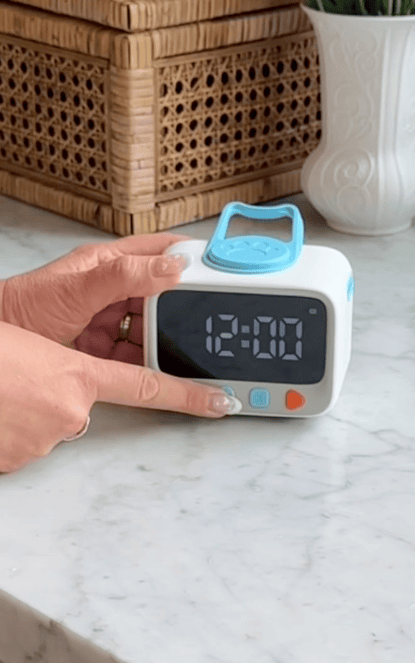
The visual timer for kids is a small countdown timer with a colored disk that shrinks as time runs out. You turn the dial to set the time, the color winds down, and a gentle alarm sounds at the end, with volume options so it is not jarring. It runs on AAA batteries and comes with bonus reward stickers you can use as a little motivation chart.
You need it because young kids do not feel time the way adults do, so “two more minutes” means nothing until the screen actually turns off and the meltdown starts. Seeing the time shrink gives them a chance to wrap up and prepare instead of being surprised.
This is a big help for any child, and especially for those who struggle with time and transitions. About 1 in 9 U.S. children ages 3 to 17, roughly 7 million kids, have been diagnosed with ADHD, according to the CDC (2022 data), and visual timers are a tool occupational therapists often recommend to make time concrete.
Why We Love it
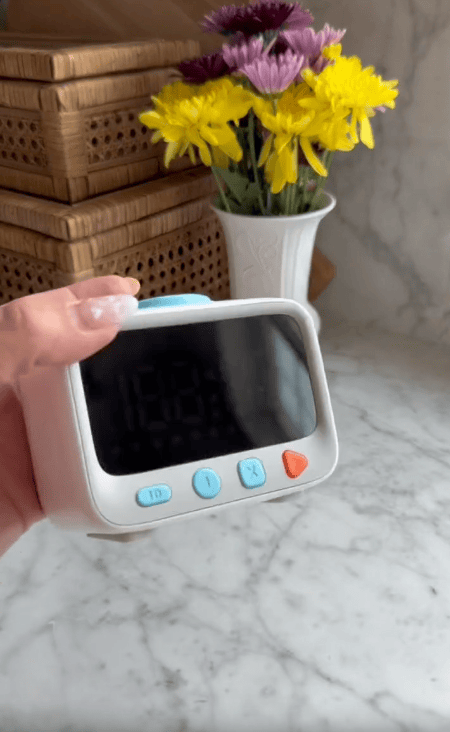

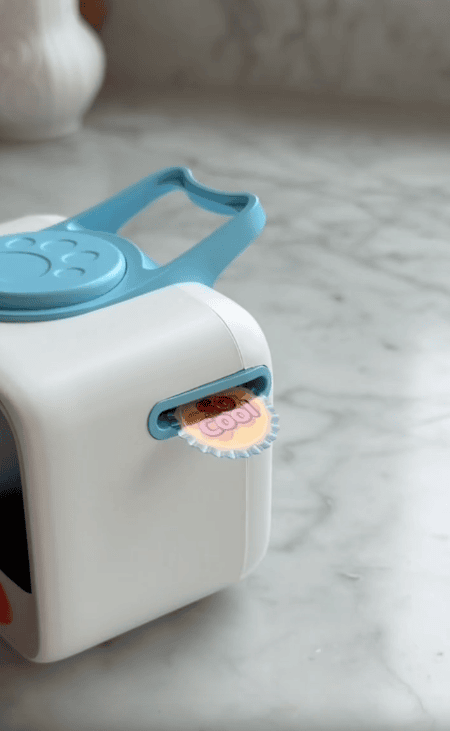
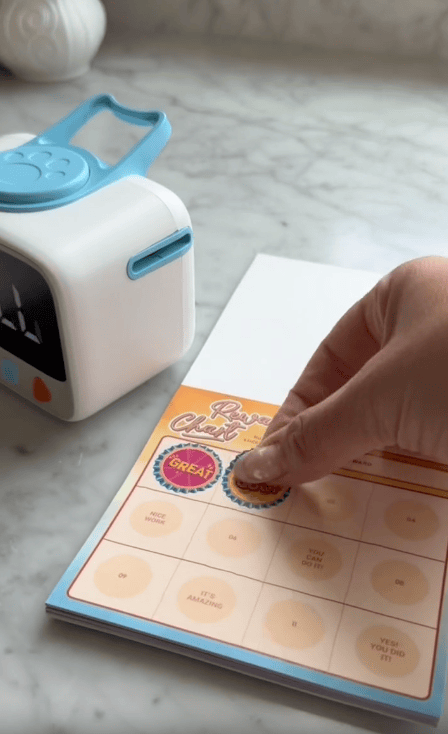
- Kids can see the time shrinking, so “almost done” actually means something to them.
- It becomes the neutral bad guy, so the timer ends screen time, not you.
- The alarm has volume options, so it signals without startling a sensitive kid.
- It works for screen time, homework, chores, getting dressed, potty, and time-outs.
- The reward stickers give you an easy built-in motivation system.
- It is simple enough that a preschooler can set it and feel in charge.
Pros and Cons
Pros
- Makes time visible for kids who cannot read a clock yet.
- Takes the pressure off you to nag and repeat warnings.
- Adjustable alarm volume, good for sensitive kids.
- Comes with reward stickers for easy motivation.
Cons
- It runs on batteries, so keep spare AAAs on hand.
- A very young toddler may need you to model it a few times before it clicks.
- It is a single-room tool, so you set it where the activity is happening.
Bonus Tips… What you didn’t see in the reel 👀
- Start with short times, like two or three minutes, when you first introduce it. Quick wins teach your child what the shrinking color means before you use it for longer tasks.
- Let your child set the dial themselves. Being in charge of starting it makes them far more likely to honor the ending.
- Use it for fun things too, not just limits, like “the timer says we have ten minutes at the park.” It builds trust in the tool so it is not only the screen-time enforcer.
- Pair it with a simple sticker goal, like a sticker each time they stop when the timer ends. The stickers do a lot of the motivating for you.
- Keep the alarm on low at home. The point is a calm signal, not a startle, especially right before a transition.
Where To Get it
You can grab this visual timer for kids on Amazon, where it comes with the bonus reward stickers. Check the current price on Amazon, since it changes from time to time.
Frequently Asked Questions
Yes, if transitions and “five more minutes” cause daily battles. Kids can see the time shrink, which makes screen time, homework, and routines go smoother with less nagging.
Amazon, where it comes with bonus reward stickers. Check the current price there, since it changes from time to time.
It makes time concrete. A child who cannot read a clock can see the color shrinking, so the end is not a surprise and they have time to wrap up.
Yes. Visual timers are a common support for kids who struggle with abstract time and transitions, and the adjustable alarm helps for sound-sensitive kids.
Yes, it runs on AAA batteries, so it is worth keeping a couple of spares on hand.
If “time’s up” sets off a battle every single day, this little timer is an easy yes. Your child sees the time go, the timer calls it, and you stop being the bad guy. Grab one on Amazon before the next screen-time standoff.
More Reviews You’ll Love
Want to save this to remember later? Make sure to pin the image below!


By Cassie & Ali – Bargain-hunting sisters and moms helping 500,000+ families save money since 2019.
Last Updated: